On Top

Recent Stories

Understand Your Customers and Strengthen Relationships Remotely

Successful businesses enable their salesforce to function as trusted advisors by providing intelligent, accurate insights into what the customer wants and needs. Want to learn how to personalize sales and inspire trust—even while working remotely? You can improve customer engagement and develop strong customer relationships with modern tooling like LinkedIn Sales Navigator and Dynamics 365 Sales.

Sign up to learn more about how to effectively engage with digital selling.

Transition to Cloud: A journey to Modern Work with Microsoft 365

A changed workplace with increased security risks and economic uncertainties requires business resiliency. Organizations must address global burnout, hybrid work, and the complicated nature of BYOD—bring your own device. With Microsoft 365, you get a flexible, solid platform enhanced by industry-leading apps, intelligent cloud services, and world-class security, all in one place. Its integrated features and resources will help to speed up and simplify your company’s day-to-day operations while keeping all your data secure.

Fruit of the Loom thrives in digital era with Microsoft 365 Enterprise

Enabling their workforce to collaborate, democratizing both data and solutions is the goal of #FruitoftheLoom, and @Microsoft365 solutions are getting them there. From #FrontlineWorkers to executives, see how this 160-year-old organization is embracing digital transformation.

Employ flexible, open hybridcloud solutions—transform customer engagement

With Microsoft Azure you can enable remote work, take advantage of cloud innovation, and maximize existing on-premises investments by relying on an effective hybrid and multicloud approach. Discover how to transform customer engagement with a holistic, seamless, and secure approach that allows you to continuously innovate.

Sign up to stay connected so we can help you modernize your .NET apps on Microsoft Azure and stay up to date on the latest cloud computing trends.

This LinkedIn Tool Could Boost Your Sales

LinkedIn Sales Navigator is a premium app designed for digital marketers building relationships 24/7. Its advanced search engine helps identify prospects by looking for leads or accounts—filtering search results based on geography, industry, company size, role, seniority level, and more.

Advanced capabilities like the Team version connects CRM applications and coordinates sales activity.

Built-in Hybrid infographic

Benefit from the #Microsoft seamless hybrid approach to cloud adoption when you choose #Azure, the tool designed and built to natively support hybrid environments from its inception. Learn more about Azure’s unique features with this infographic:

Transition to Cloud: Secure your business with technology you can trust

The global shift to virtual business has created a new world of opportunities, but it has also introduced new challenges—and we know that digital transformation is essential for organizations to succeed. Need proof? This infographic illustrates how organizations further along in their transition from on-prem to the cloud are more likely to report positive experiences among employees and end users about securing data and personal privacy. With Microsoft 365, businesses stay nimble with cost savings and cloud advances, even during uncertain economic times.

Britax Römer Creates a Unified E-Commerce Solution with Dynamics 365

Microsoft Dynamics 365 helped Britax Romer get child safety seats from development to market efficiently. By enabling the retailer to access product info, manage orders, and share data, parents can be worry-free, and children stay safe.

From the customer journey to a child’s journey on the road, Britax Romer is keeping things on track and moving at peak performance. Protecting more children on the road is its top priority. And Microsoft solutions like Microsoft Dynamics 365 and its AI-powered B2B e-commerce capabilities is helping them do just that.

How to migrate to the cloud

The transition from local servers to the cloud is a multistep process that requires preparation. The steps are similar—they just vary depending on the size, infrastructure, and cloud migration goals of each company. Compliance with this basic checklist and experienced professionals should ensure a smooth transition. Forbes offers a step-by-step guide on how to correctly migrate to the cloud and our team of experts at FL Computer Tech can assist you in defining where you are in this process.

Follow Us

Categories

New from FL Computer Tech

Get The Latest Updates

Subscribe To Our Weekly Newsletter

No spam, notifications only about new products, updates.
On Trend

Most Popular Stories

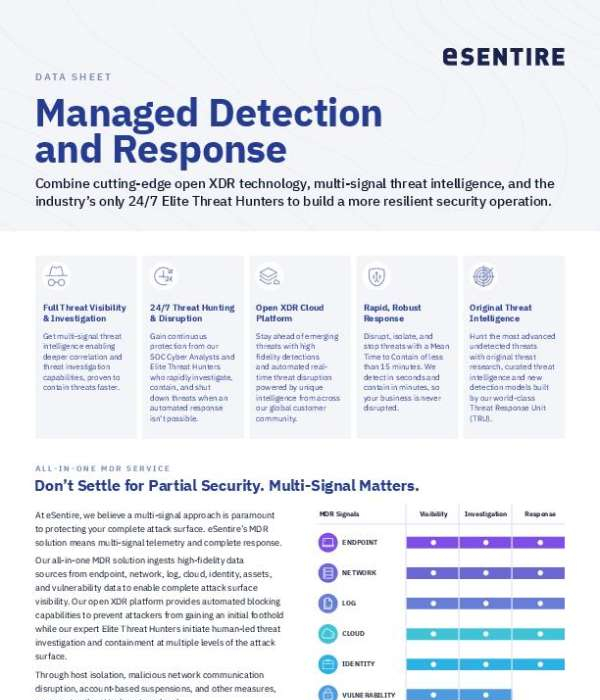
New Agents in Microsoft Purview

Too many alerts can make it harder to focus on real data risks. ⚠️ New Microsoft Purview agents help cut through noise, highlight priority incidents, and surface risks using natural language queries. Watch the video to see how faster insight and action improve data security workflows. 🤖 @Microsoft Security

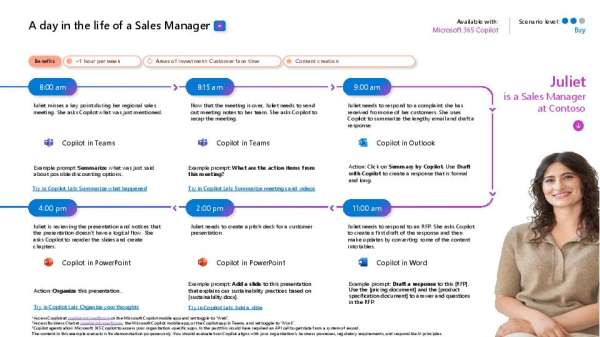
Microsoft Copilot: Your AI companion

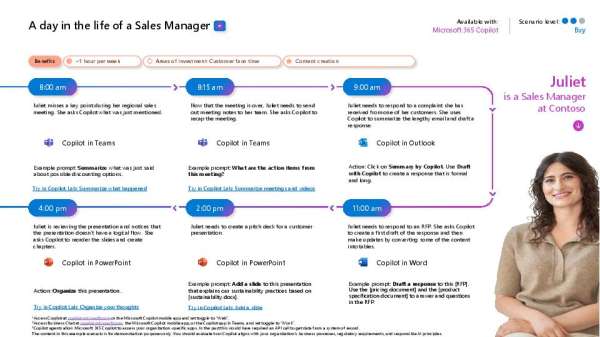
Communicating benefits changes doesn’t have to be complicated. 💬 Try this in Copilot Chat: “Draft a memo to employees announcing a change in health insurance carrier choices.” Copilot Chat helps you create clear, thoughtful communications, fast. So, employees know what’s changing and what to do next: https://copilot.microsoft.com/

AI use Cases for Business Leaders

How can you turn AI investments into tangible impact? Learn from the experiences of the organizations featured in the eBook, ‘AI Use Cases for Business Leaders: Realize Value with AI.” Sharing insights from peers using Microsoft AI solutions like Copilot to drive value, it highlights how generative AI can help achieve goals such as: ✔️ Boosting employee productivity ✔️ Streamlining operations ✔️ Accelerating innovation Download your complimentary copy for ideas on how generative AI can help you drive measurable impact. 💡 @Microsoft Copilot @Microsoft 365

Microsoft Copilot: Your AI companion

Security doesn’t have to be complicated. Try this prompt in Copilot Chat: “Explain zero‑trust security in simple terms for a non‑technical audience.” Discover an easier way to keep everyone aligned: Open Copilot Now:

Looking for the Best Managed-IT Business Solutions?

Need immediate computer support? A certified technician is only a call and a click away.

Subscribe our newsletter to get our latest update & news

3501 Quadrangle Blvd
Suite #305
Orlando, FL 32817

1-(941) 564-5464

Open Hours:

Mon - Sat: 8 am - 5 pm,
Sunday: CLOSED
24/7 Emergency Services Available