LastPass finally fixes exploit that leaks your recently used credentials

Clickjacking is what happens when a user is tricked into clicking something that’s disguised as a different element, thus accidentally revealing confidential information, or even take control.
LastPass Hack

Popular password manager LastPass has fixed a serious flaw in its latest update that potentially allowed a malicious website to access the last used credentials entered by the browser extension.

The clickjacking bug was discovered by Google Project Zero researcher Tavis Ormandy on August 30, part of the white-hat hack group devoted to finding bugs in software, reports ZDNet.

Clickjacking is what happens when a user is tricked into clicking something that’s disguised as a different element, thus accidentally revealing confidential information, or even take control.

“To exploit this bug, a series of actions would need to be taken by a LastPass user including filling a password with the LastPass icon, then visiting a compromised or malicious site and finally being tricked into clicking on the page several times,” LastPass acknowledged in a statement.

Noting that the issue was specific to Chrome and Opera, LastPass said it has deployed an update to all browsers out of precaution. The extension for Chrome and Opera should have the version 4.33.0, while the Firefox variant should be 4.33.4.2.

The details of the flaw — which have now been made public — reveals that it could’ve been exploited by executing a malicious JavaScript code which could be embedded on any website masked behind a Google Translate URL. The attacker could then trick users into visiting the link, and subsequently extract credentials from a previously visited site.

Although Ormandy labeled the bug as high severity, LastPass has tried to minimize its scope, stating the flaw “revealed a limited set of circumstances on specific browser extensions that could potentially allow an attacker to create a clickjacking scenario.”

Just because LastPass has a security flaw doesn’t mean password managers are bad for security. In reality, they are a much more secure alternative to storing them in the browser, from where they can be easily accessed by threat actors. However, bear in mind that not all password managers are created equal.

Ultimately, whether you’re using LastPass or otherwise, the same rule of caution applies: use two-factor authentication to secure your accounts (including password managers), set a unique password for each account, and never reuse your old passwords.

Picture of Michael Duff

Michael Duff

Leave a Replay

Search

Our Latest News

FL Computer Tech is best choice for Managed-IT in Florida but what about the rest of the US? Choosing the right Managed Service Provider, aka MSP, is a daunting and critical responsibility and that’s why we created the  OutSourced MSP website.  OutSourced MSP is a Managed Service Provider directory website that helps businesses nationwide find reputable, Managed-IT services. Check it out!

Recent Posts

AddOn – AI and ML Connectivity Brochure

As AI environments scale, connectivity issues can impact performance and efficiency. ⚡ This brochure highlights @AddOn transceivers and cabling solutions validated for compatibility across leading platforms and real-world deployments. Take a closer look at connectivity designed to support reliable AI and ML performance at scale.

Read More »

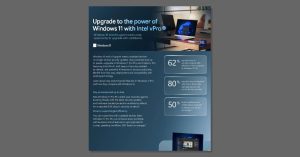
Upgrade to the power of Windows 11 with Intel vPro

⏳ It’s time to upgrade. Download the datasheet, “Upgrade to the power of Windows 11 with Intel vPro,” for an overview of features in Windows 11 Pro with Intel vPro that reduce security incidents by 62% and speed workflows by 50%. Then, message us to start planning your upgrade with expert support. @Microsoft Windows

Read More »

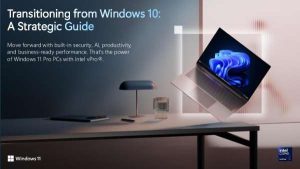
Transitioning from Windows 10: A Strategic Guide

Successful upgrades start with a foundation you can trust. 🛡️ The eBook, “Transitioning from Windows 10: A Strategic Guide,” explains how Copilot+ PCs with Intel vPro simplify deployment and endpoint security. Download your complimentary copy to explore how your organization can move forward with the highest levels of security and manageability. @Microsoft Windows @Microsoft Copilot

Read More »

Follow Us

Video Archive

Sign up for our Newsletter

Looking for the latest in technology news? Do you like tips, tricks and shortcuts? Sign up today!

Looking for the Best Managed-IT Business Solutions?

Need immediate computer support? A certified technician is only a call and a click away.

Subscribe our newsletter to get our latest update & news

3501 Quadrangle Blvd
Suite #305
Orlando, FL 32817

1-(941) 564-5464

Open Hours:

Mon - Sat: 8 am - 5 pm,
Sunday: CLOSED
24/7 Emergency Services Available